
Before launch
Setup stays free
No subscription starts while you prepare.
Start Free
Add your shop and reward to make your own loyalty card and free poster. Your poster is ready to print the moment you go live, and we post you a free stand-up card for your counter, usually with you within a week. Customers add your card to Apple Wallet or Google Wallet, or use the RewardLoop app. Setup is free, and your 30-day trial starts only when you go live.
Ciccio’s Cafe: 460+ customers joined, and 8 in 10 came back. From RewardLoop records, December 2024 to September 2026. Results vary by business.
We ask for a payment card before you go live. Your plan is free for 30 days. Plans from £29/month after that.
Already have a business account? Log in.
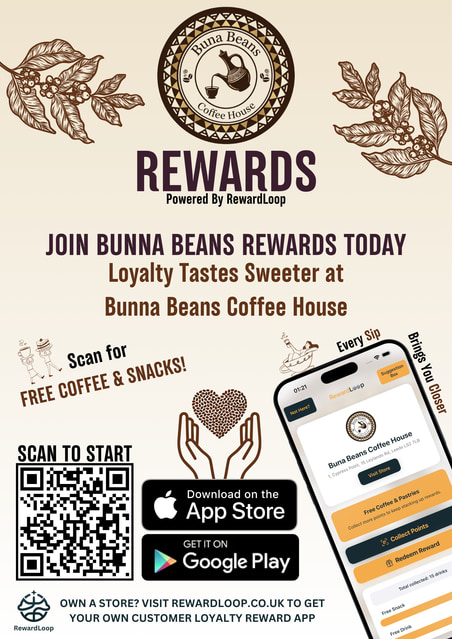
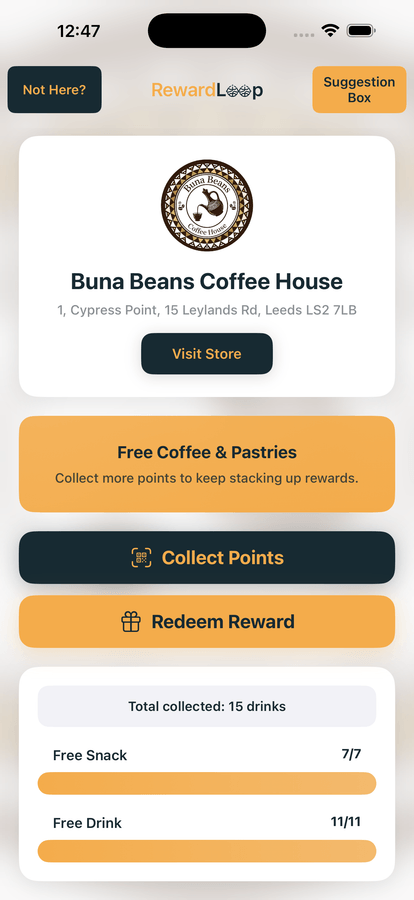
Your store, ready for customers Buna Beans Coffee House shown with the optional £49 Custom Design. Every plan also includes a free Generated Poster.
Before launch
No subscription starts while you prepare.
After launch
Your trial begins only when you go live.
What Happens Next
Choose your rewards, prepare your poster and go live when you’re ready.
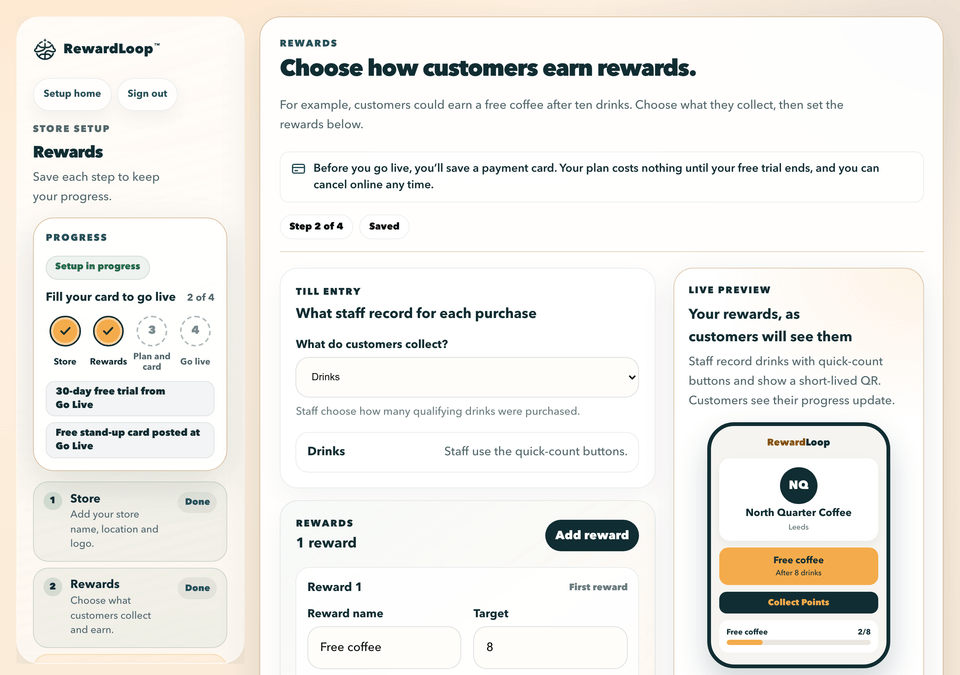
Add your store, reward and optional Head Start. Save and return whenever you need to.

Your QR code gives customers a simple choice: use Apple Wallet, Google Wallet or download the RewardLoop app.
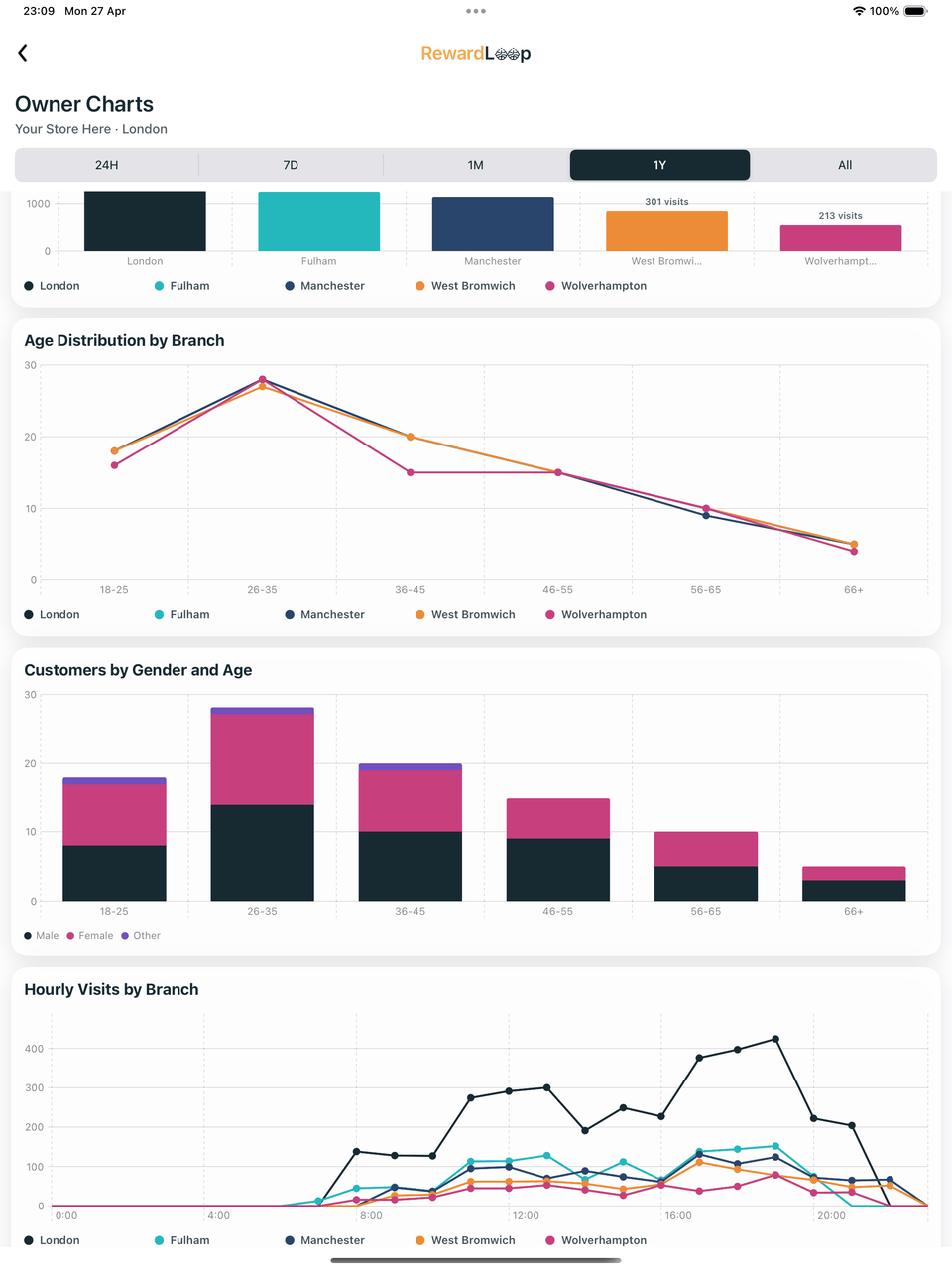
Sign your till in to the RewardLoop app with the till login, then go live. Print your poster, put it by your till the same day and ask every customer if they’ve got your card. Your free stand-up card for the counter is usually with you within a week. Your 30-day trial starts when you go live, and activity begins to appear in your dashboard.
Your free poster already includes your branding and rewards. For a different look, choose an optional design by our team. Both options include three revisions, PNG and printable PDF, with one design for all your branches. Want big A2 posters and laminated till cards too? Print & Deliver is optional once your design is approved.
Simple Pricing
Essential, Starter and Growth include the RewardLoop app, Apple Wallet, Google Wallet, a free poster and optional Head Start.
Essential
For smaller shops with up to 100 active customers.
Starter
For most single-location shops.
Growth
For businesses that need RewardLoop across multiple branches.
Your 30-day trial starts at Go Live. Prices shown are the total amounts charged; no additional tax is added at checkout.
Next Step
Make your card now, or book a demo if you’d like help first. We ask for a payment card before you go live, and your plan is free for 30 days.
Already have a business account? Log in.