See your loyalty programme clearly

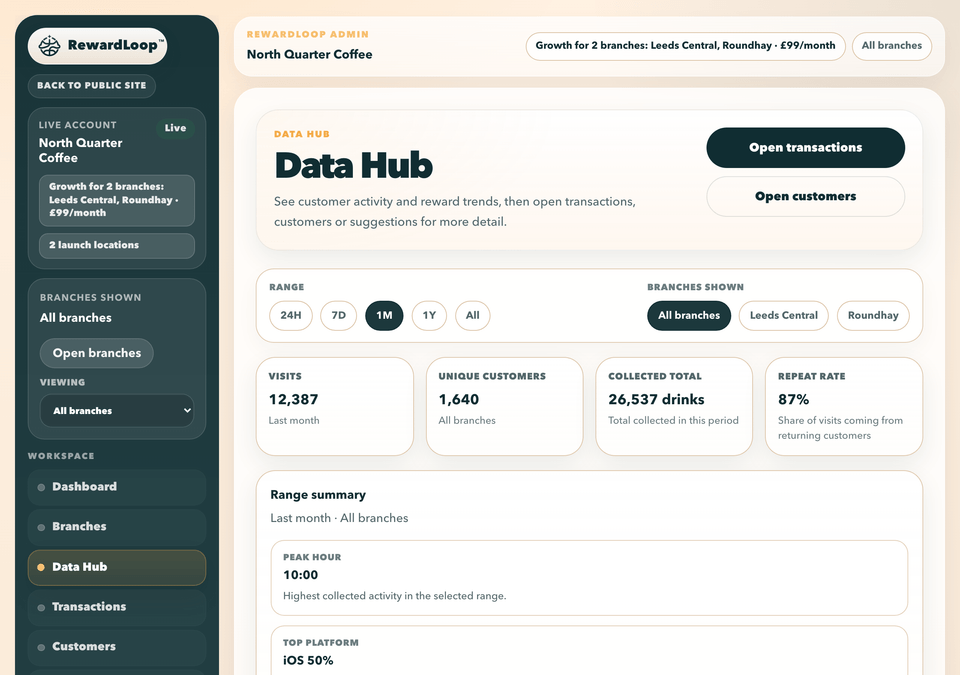
RewardLoop brings transactions, customer details, anonymous suggestions and charts into one Data Hub. See recent activity immediately, with more useful patterns appearing as your customer base grows.

  • Transaction history with reward and purchase events
  • Customer detail from selected transactions
  • Anonymous suggestions in the same place
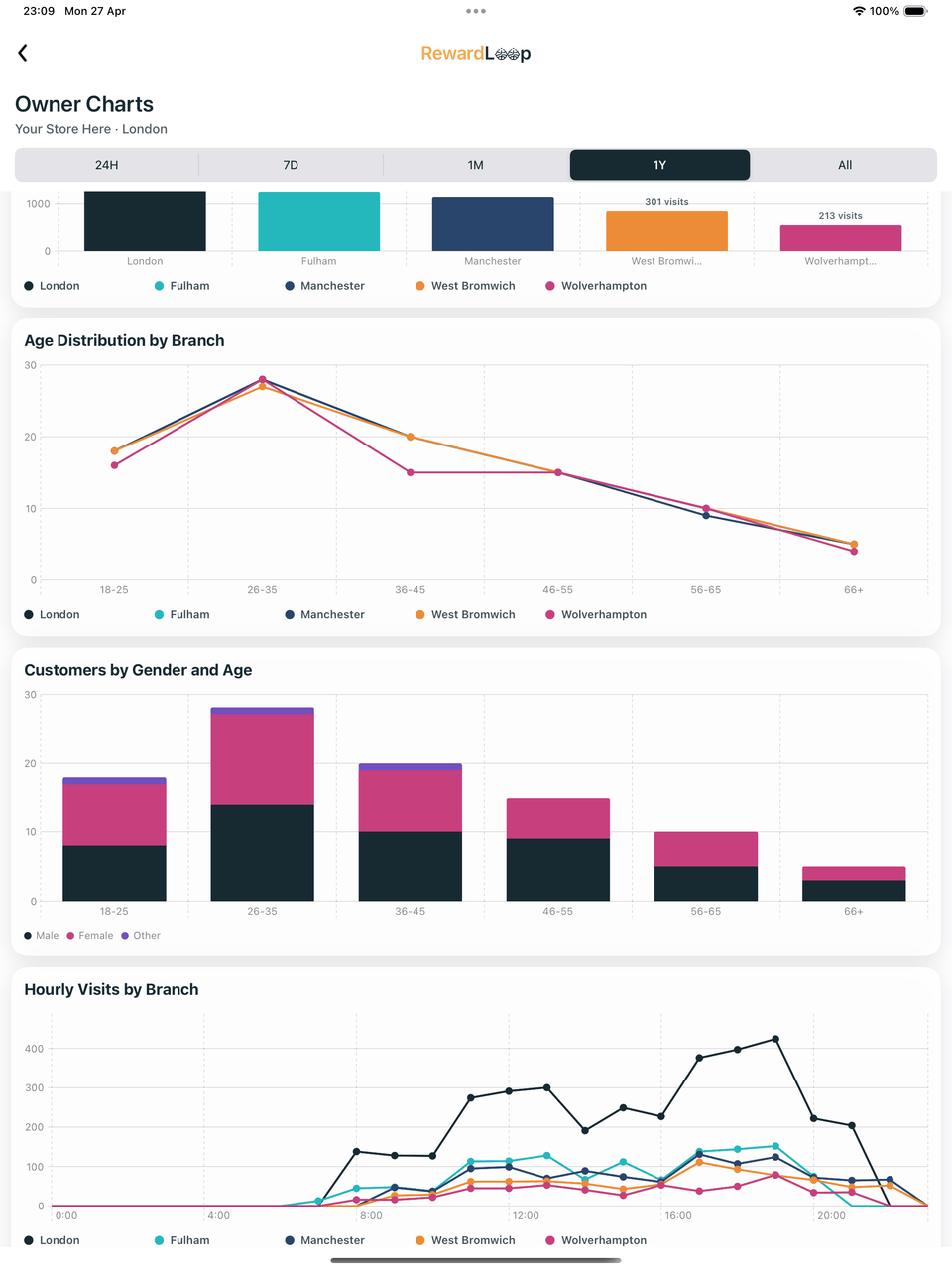
  • Growth branch comparison plus time-range filtering
  • Connected to reminders and guided custom announcements
RewardLoop Data Hub business dashboard showing charts, transactions and suggestions
RewardLoop owner charts view on iPad showing loyalty activity graphs and trend breakdowns
The same charts are available in the RewardLoop app for business owners.

Owner insight

Transactions and charts together

Review customer activity, suggestions and changing trends in one place.

Better decisions

See what happened at the till

Spot repeat patterns and suggestion themes in one dashboard.

Transaction detail

Move from top-line trends into specific purchase and reward events so decisions are based on real behaviour.

Customer details

Open customer information from selected transactions to understand return timing and reward use.

Practical improvement

Use charts and anonymous suggestions together to improve offers and service faster.

See today’s activity, then understand the customer

Recent transactions show who collected progress or used a reward and when it happened. Tap a transaction to open the customer’s loyalty record and put that visit in context.
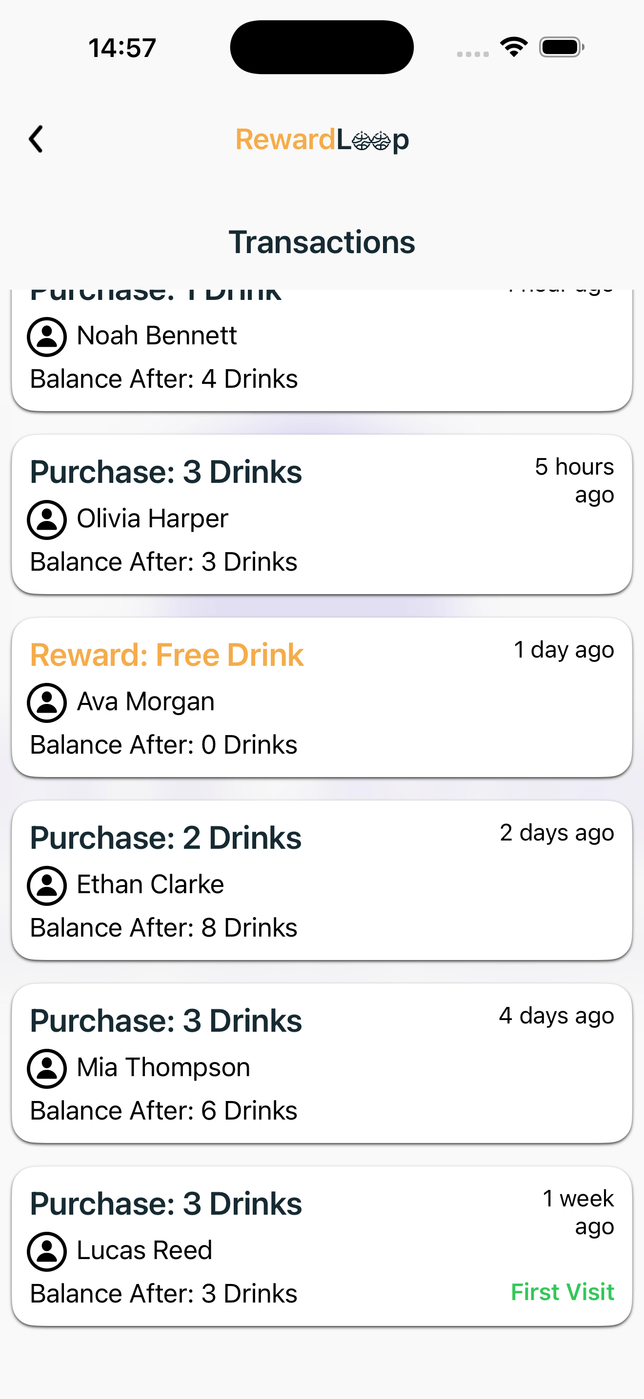
RewardLoop owner app recent transactions showing purchases, rewards, timing and the customer balance after each event
See recent purchases, rewards, visit timing and progress after each event.

Tap a transaction

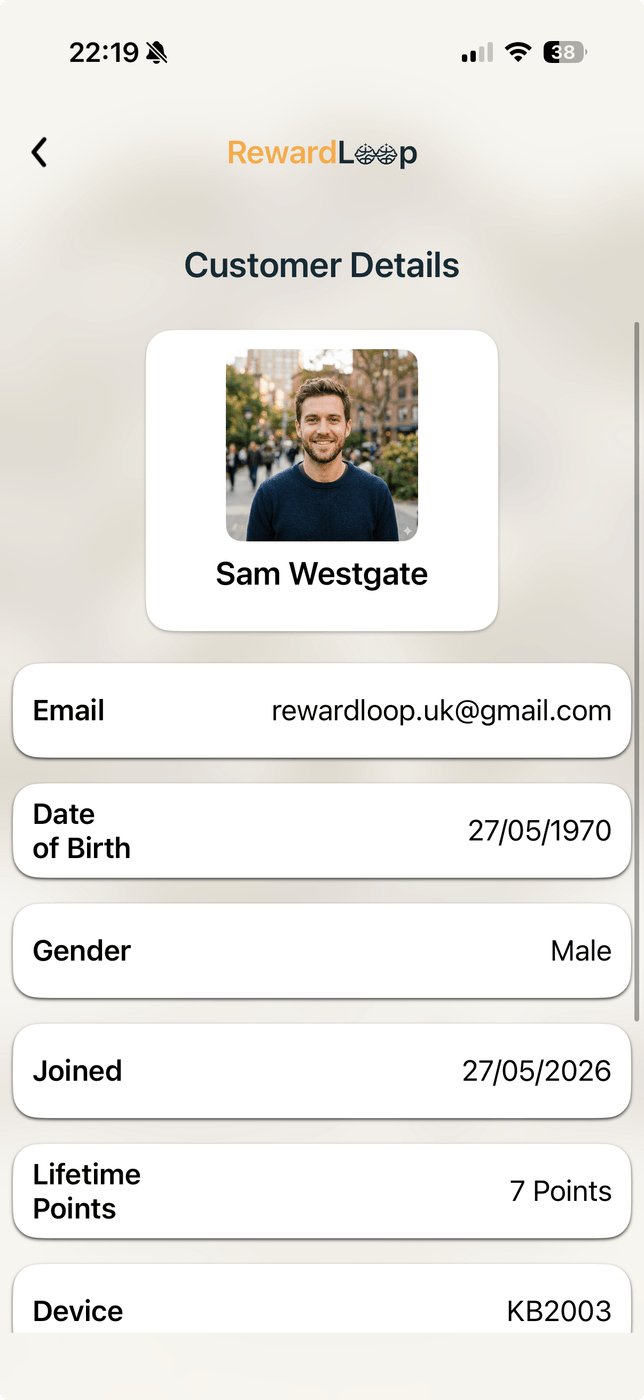
RewardLoop owner app customer detail showing profile information, join date and lifetime loyalty progress
Open the customer record for join date and lifetime purchases, spend or points where applicable.

Useful at the counter: recognise an established regular, see how far they are from a reward and serve them with better context. Owners see only the account and loyalty information available to their business; anonymous suggestions remain anonymous and are never linked to a customer record.

Transactions, customers and suggestions in the admin workspace

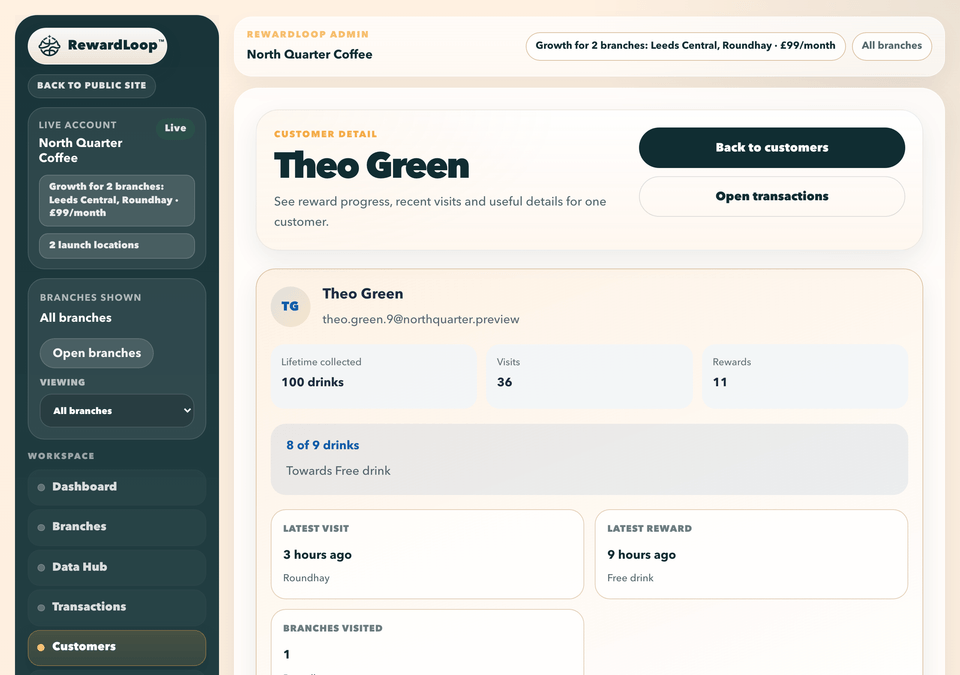
Use the admin panel for more detail. Recent transactions, individual customer records and anonymous suggestions stay close together.
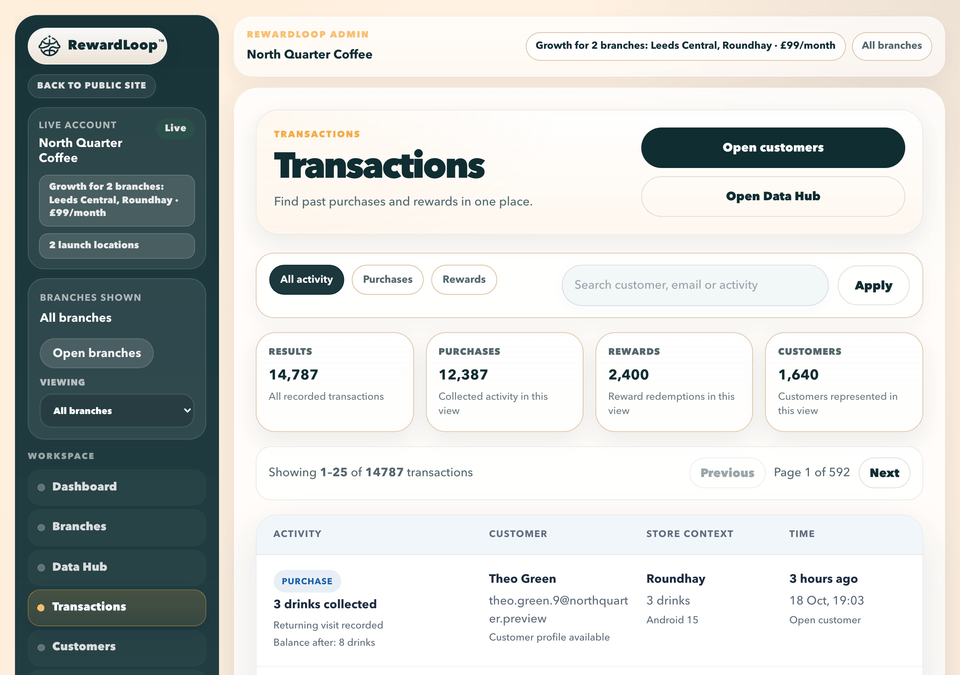
RewardLoop admin transactions history with filters, loyalty activity and recent reward events
Transactions show purchase and reward activity with branch and timing context.
RewardLoop admin customer detail view showing reward progress profile summary and recent activity context
Customer detail gives profile context and reward progress where supported.
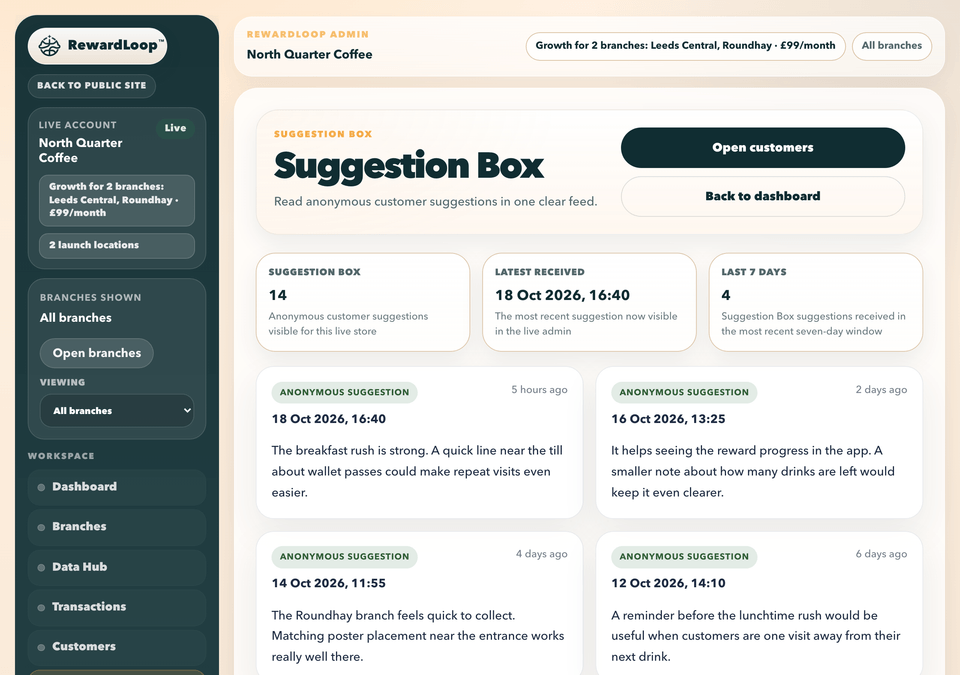
RewardLoop admin suggestion box showing anonymous customer feedback and recent suggestion timing
Suggestions stay visible beside owner activity without turning the product into full review management.

How this supports repeat visits

  1. Let customers start in Wallet without downloading the RewardLoop app, or use the app for visible progress, rewards, suggestions and notifications.
  2. Use automatic close-to-reward and reward-ready reminders at the right moments.
  3. Track reminder visibility and visit movement in the Data Hub, then adjust quickly.
  4. Use Suggestion Box feedback to refine service and improve customer retention week by week.

Clear visibility on every standard plan

Essential includes a basic Data Hub. Starter gives most one-location stores the fuller view, while Growth adds an all-branches overview, branch filters and comparisons.

Your loyalty records and reward activity stay connected to the same RewardLoop account used for day-to-day service.

  • Essential: basic Data Hub for a smaller business
  • Starter: one-location clarity
  • Growth: all-branches overview plus single-branch focus
  • Growth: branch-aware transactions, customers and materials views alongside the Data Hub

Start free and prepare your business dashboard

Start free, choose Essential, Starter or Growth and prepare for launch. Your Data Hub is ready when you go live, and your first 30 days are free.