
Join without downloading the app
Sign up on this page and add your RewardLoop card to Apple Wallet or Google Wallet.
Works with Apple Wallet and Google Wallet
Choose how you join
Choose Wallet for the quickest way in, or download the full app to find local shops, track rewards and get reminders. Both use the same free RewardLoop account.
Join with your Apple or Google account
Already use the RewardLoop app? Sign in the same way you do there.
Signed in as your RewardLoop account
You must be at least 13.
Sign up on this page and add your RewardLoop card to Apple Wallet or Google Wallet.
Works with Apple Wallet and Google Wallet
Find local shops, track every reward, get useful reminders and send suggestions.


Wallet setup
Already have a RewardLoop Wallet card? Sign in with the account you used before, so your card and rewards stay together. You don’t need a second account.
This should only take a moment.
Account check
Your account has not been changed. Check your connection and try the account check again.
Step 1 of 3
Your Apple or Google account is the quickest way in. It keeps your rewards together in Wallet and the RewardLoop app.
Welcome back
Sign in the same way you did for the app or your Wallet card.
Step 1 of 3
We sent a verification link to your email address. Open it, then come back here.
You can safely leave this page open while checking your inbox. Check spam or junk if the message has not arrived.
Step 2 of 3
Three quick details, the same ones our app asks for. You only give them once.
Who can join
The date of birth already recorded on this RewardLoop account shows that the account holder is under 13. Wallet setup becomes available from their 13th birthday.
If the date is wrong, ask us a question. It can’t be changed here to get round the age limit.
Step 3 of 3
On a supported phone, RewardLoop automatically chooses Apple Wallet or Google Wallet. If it cannot choose automatically, select one below. Staff scan your card at the till to add stamps or give you a reward.
Signed in as your RewardLoop account. If this is not you, sign out before adding a card.
This card is for the shop you scanned. It updates after each visit, and Wallet may let you know about your progress and rewards. You can turn notifications off in Wallet.
Signing in with the same RewardLoop account keeps your rewards together. You don’t need another account to add the card again.
Optional RewardLoop app
Your Wallet card is all you need at the till. Use the same account in the app to find local rewards, follow your progress, get useful reminders and share suggestions anonymously.
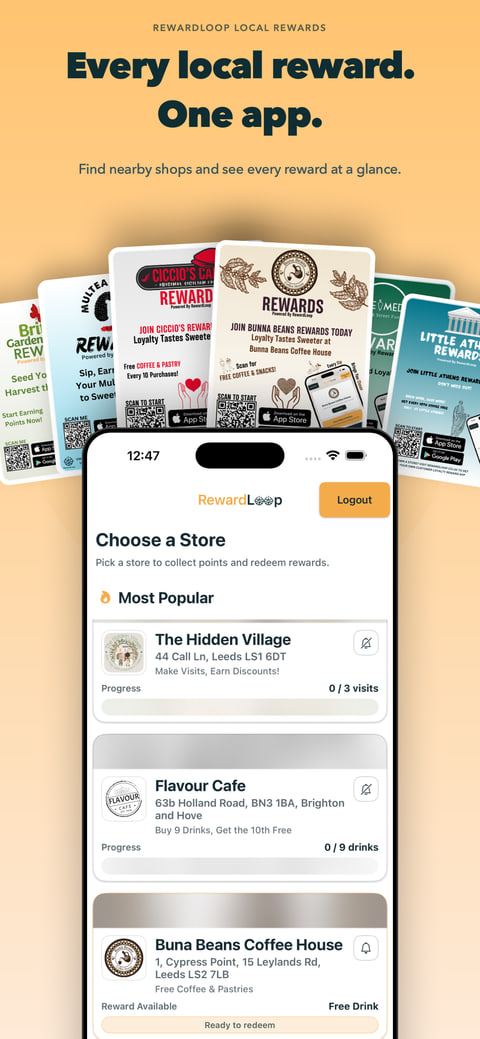
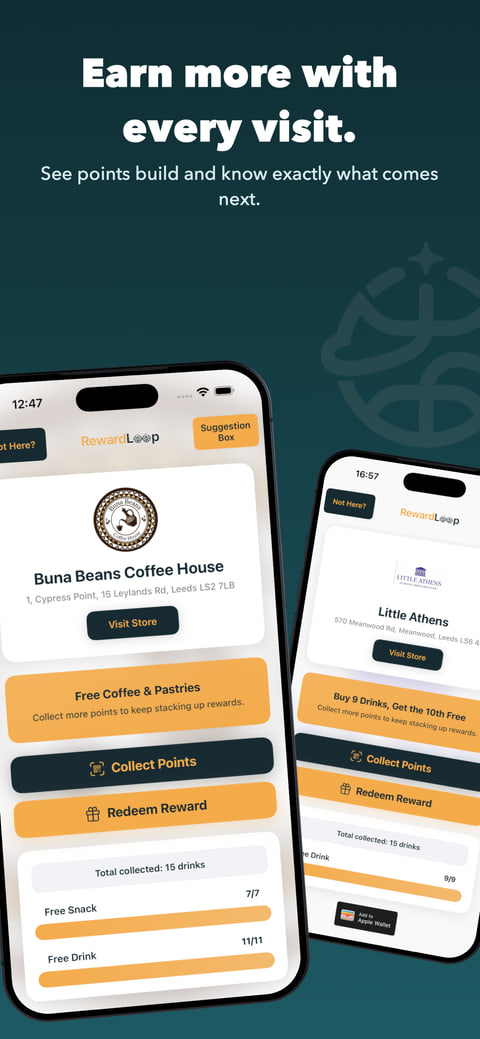
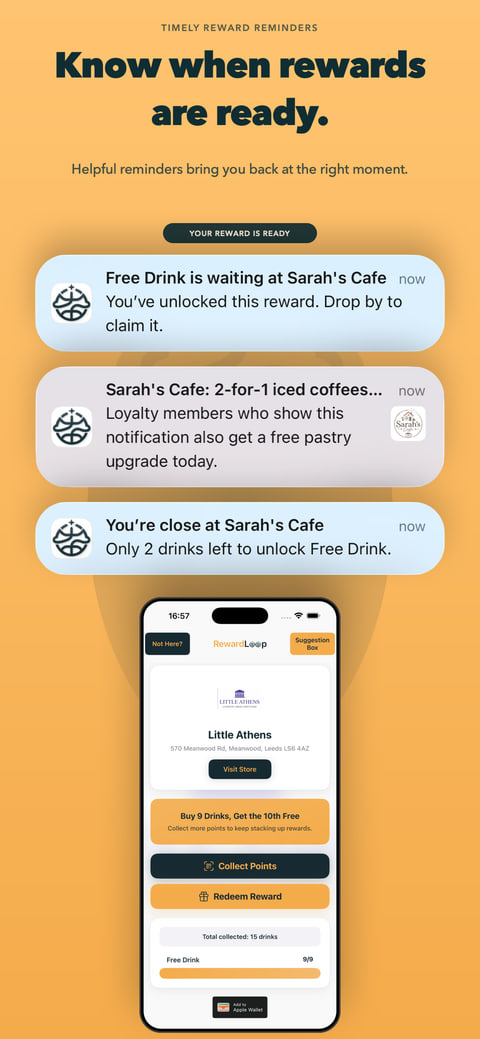
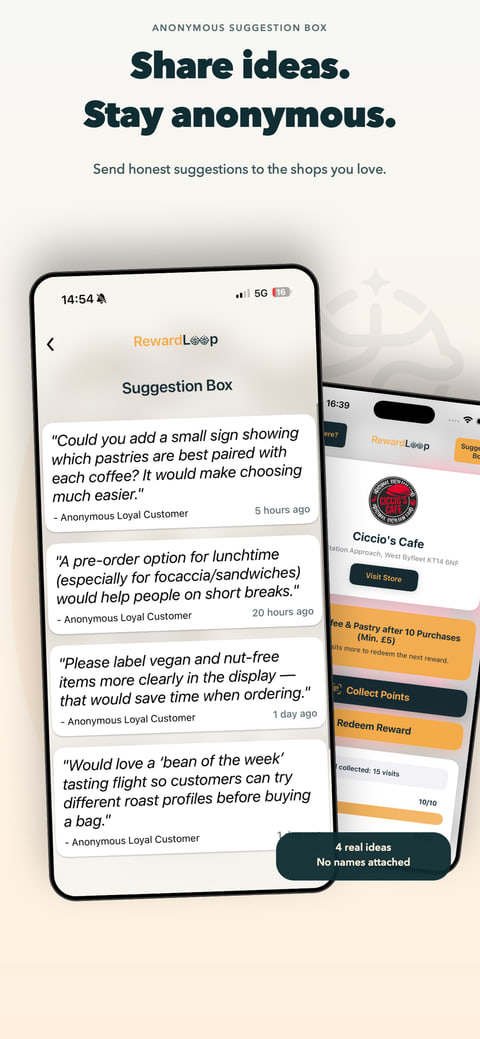
Swipe to see all four app benefits
Want the full app?
Download RewardLoop and sign in with the same free account. Your rewards stay together in Wallet and the app.
For existing customers
Sign in with the same RewardLoop account you already use. It keeps your rewards together in Wallet and the app, so you do not need a second account.
Privacy and security
We confirm your email before we add your card. Apple Wallet and Google Wallet get the information needed to make and keep your card, as our Privacy Policy explains.