
Give your regulars another reason to pop in

A free coffee to look forward to. A reason to come back tomorrow. RewardLoop makes collecting simple, with Apple Wallet or Google Wallet — no app download needed.
  • Designed for morning and lunch peaks
  • Apple Wallet, Google Wallet or app signup
  • No app download required
  • Free stand-up card, posted to you
  • No extra hardware to buy
  • Self-serve setup: around five minutes
  • Starter for one location, Growth for multiple branches
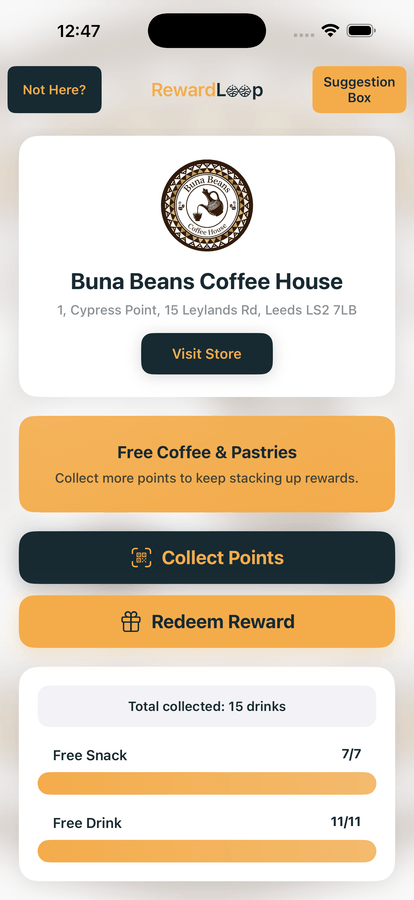
RewardLoop app reward progress screen showing a café loyalty journey

Counter flow

Staff keep service moving

Choose the purchase and show a short-lived QR for app customers, or scan a Wallet customer's card first.

Café repeat visits

Automatic reminders help bring regulars back

Reminders on their Wallet card or in the app let customers know when they’re close to a reward or have one ready.
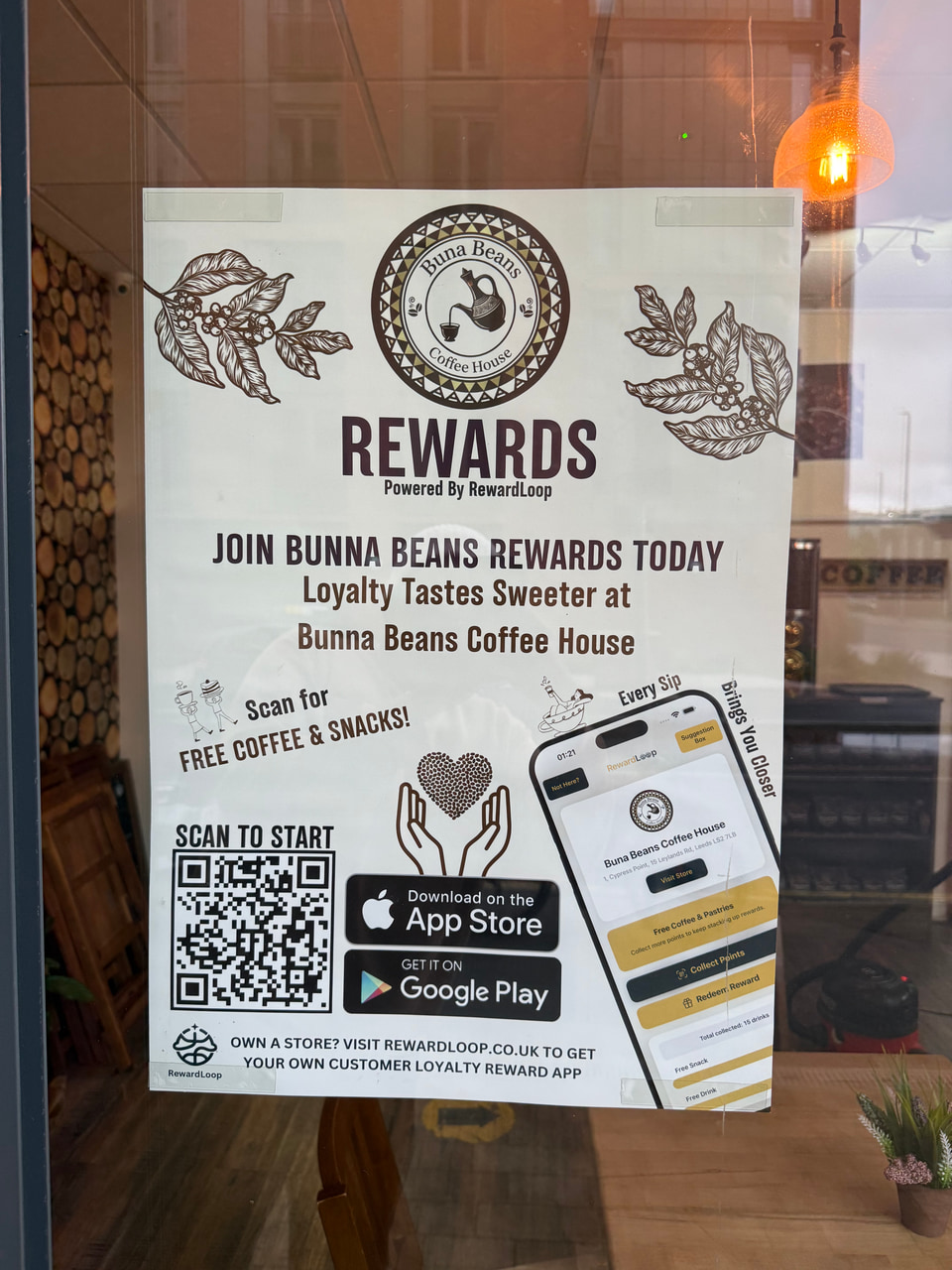
RewardLoop launch poster displayed in a café store window

A good fit for the morning rush

  • Customers keep your loyalty card on their phone, ready for their next visit.
  • Reward drinks, visits or spending — choose what works for your café.
  • Use a compatible phone or tablet at the till, with no specialist scanner to buy.
  • Staff confirm rewards at the till. RewardLoop keeps any extra progress towards the next reward.
  • Your included poster makes your rewards easy to spot.

Get to know your regulars

  • See visits, purchases and rewards in your Data Hub.
  • Got a new seasonal drink? Write an announcement in your dashboard, and we’ll check it before it goes out.
  • Anonymous suggestions so you can improve queue flow and service quality.
  • Generate a free poster instantly from setup and refresh it after store changes. When you go live, it’s ready to print, and we post UK cafés a free stand-up card with it on the front.

Check your Data Hub online or in the app, even when you’re away from the café.

From their first coffee to their next reward

Step 1: Customer scans and chooses your café

Use the launch poster, till card or app listing to let customers join through the app, Apple Wallet or Google Wallet.

Step 2: Add their purchase

For app customers, enter the purchase and show the QR for them to scan. For Wallet customers, scan their card first, then add the purchase.

Step 3: Welcome them back for their reward

When they’ve earned a reward, staff confirm it at the till. Their progress updates, ready for next time.

Launch loyalty in days, not months

Prepare for launch, then get your first 30 days free.